
Digital business card · Early access
A business card people save in one tap
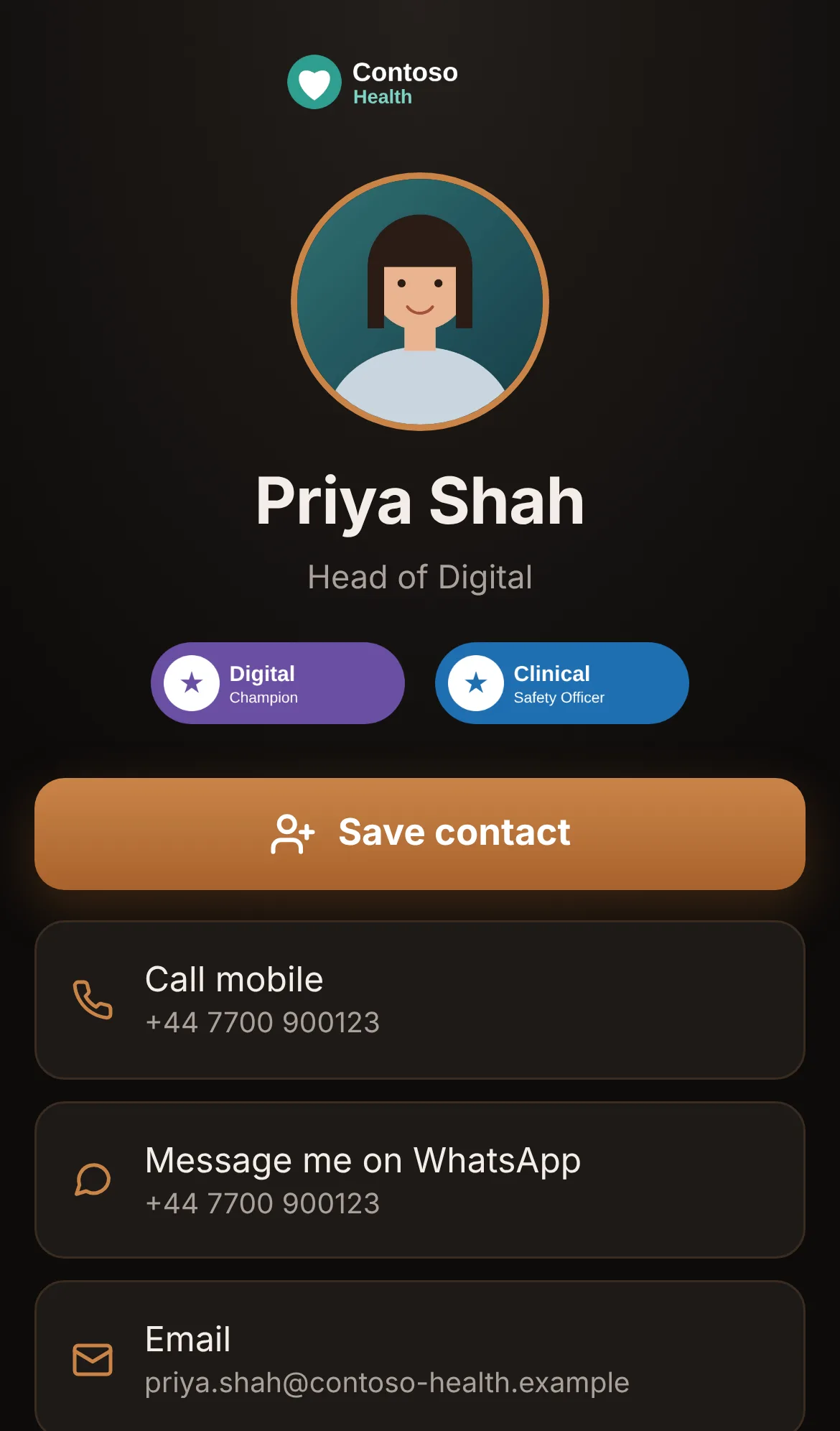
Scan to Save puts your photo, company logo, badges, contact details, WhatsApp and links on one card, behind a QR code you can print, put in your email signature or carry in Apple Wallet. People scan it, see your card and tap Save contact: you're in their phone, with every link that matters.
An Andy Kemp Consulting Ltd tool, open to early adopters. Sign in with your free Andy Kemp account.
How it works
From request to saved contact
Build your card once. After that, every scan puts you straight into someone's contacts.
- 1
Request early access
Sign in with your free Andy Kemp account and say how you'd use it. Andy Kemp Consulting approves each request.
- 2
Build your card
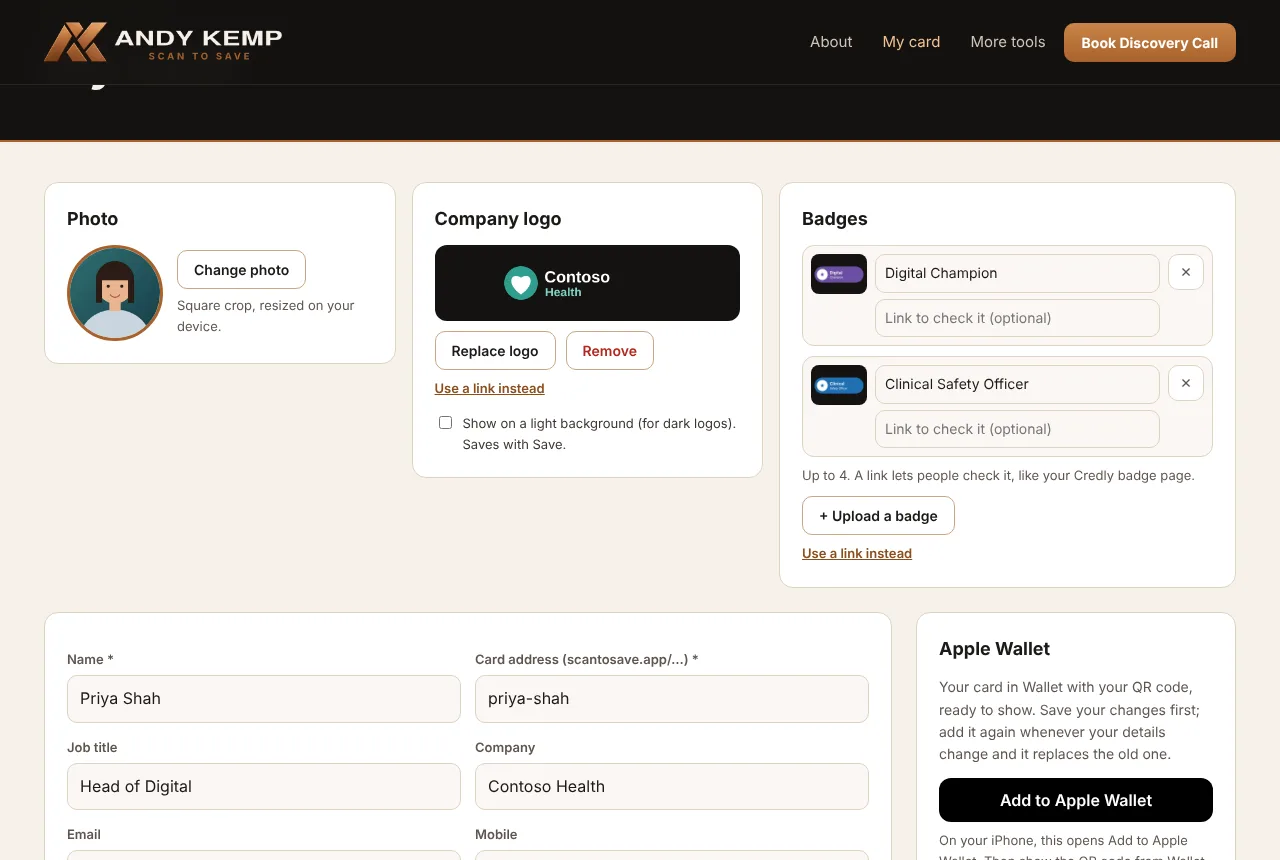
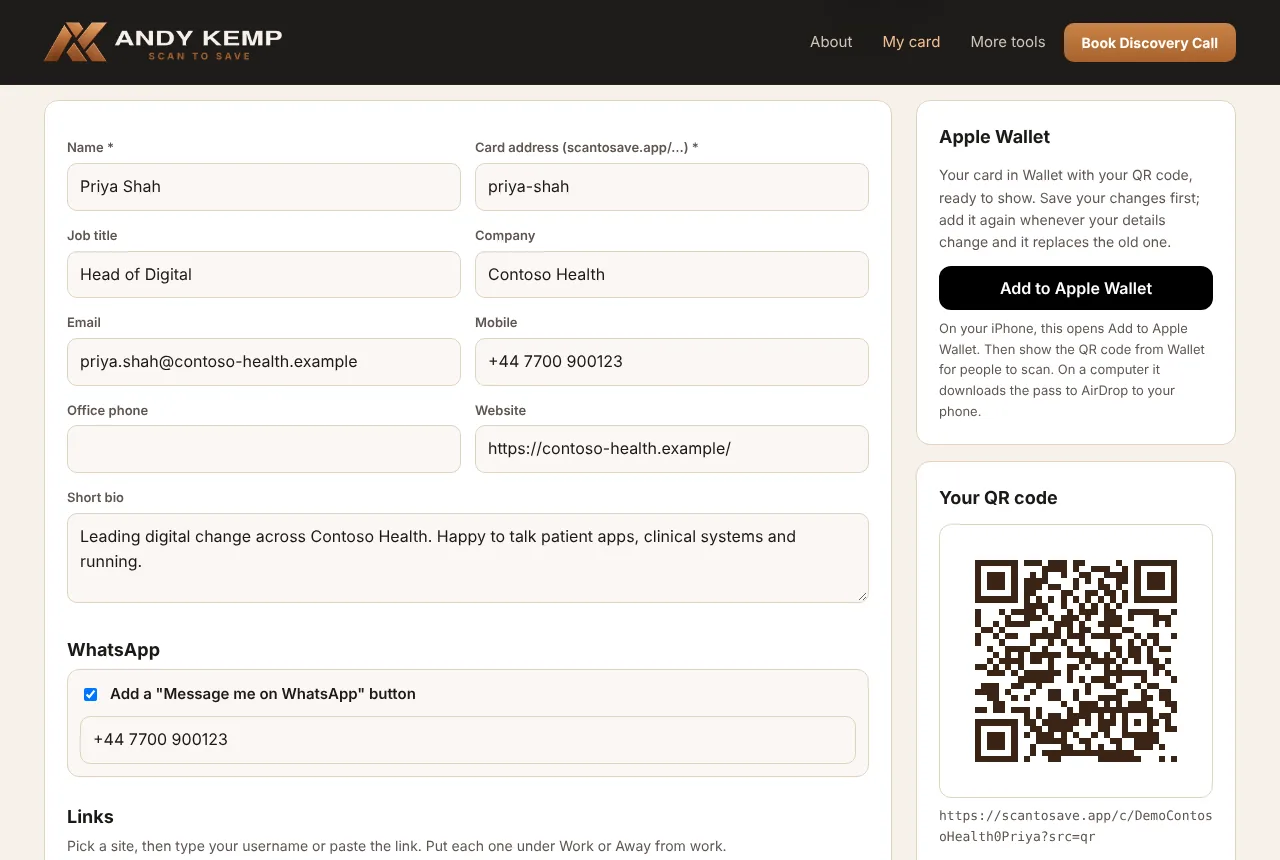
Photo, company logo and badges at the top, then your details, WhatsApp and links for work and away from work.
- 3
Share your QR code
Download it for business cards, slides and your email signature, or add your card to Apple Wallet.
- 4
Saved in one tap
People scan, see your card and tap Save contact. You're in their phone, photo and links included.
What you get
Better than a link page
A link page shows people where to find you. Scan to Save puts you in their contacts, with your photo and links, so they can still find you next month.
Save contact, properly
One tap gives people a contact that iPhone, Android and Outlook all open, with your photo, and every link saved as its full web address with its name, so it opens when tapped.
Your company logo
At the top of your card. Upload it, or paste a link to the logo on your company's website. Dark logo? Put it on a light background. No logo, nothing at the top.
Badges people can check
Up to four certifications, awards or memberships under your name, each with an optional link, such as your Credly badge page.
A Message me on WhatsApp button, from your mobile or another number.
Work and away from work
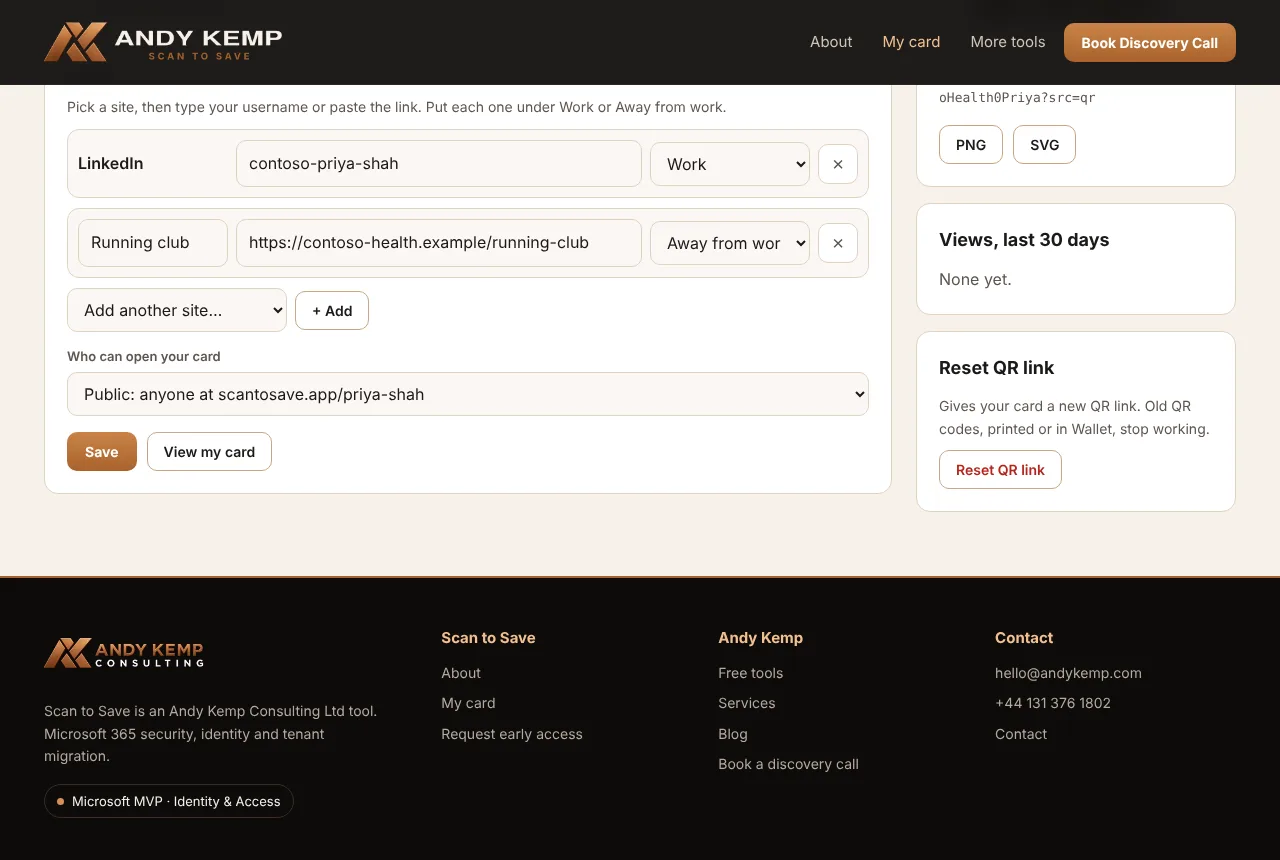
Pick from the sites people use, or add any link, and say which side of your card it goes on.
Public or QR only
A public address at scantosave.app/your-name, or a card only your QR code opens. QR-only cards are never listed by search engines.
Apple Wallet
Your card in Wallet with its QR code on the front, ready to show across a table. Add it again after a change and it replaces the old one.
Views
How many times your card was opened in the last 30 days, and how: the QR code, Wallet or your link. Your own previews don't count.
Reset your QR link
If your QR link ends up somewhere it shouldn't, give your card a new one. The old QR codes stop working.
Screens
What it looks like
Get started
Early access
- Request access at scantosave.app, signed in with your free Andy Kemp account.
- Once you're approved, sign in to My card: your card is waiting. Add your photo, logo, badges, details and links, and save.
- Share it: download your QR code, or add your card to Apple Wallet.
Your card, your choice: you decide what goes on it and who can open it, and you can delete it at any time. See the privacy notice.
Questions
Frequently asked
Who can use it?
Scan to Save is in early access for a small group of early adopters. Request access with your free Andy Kemp account; Andy Kemp Consulting approves each request, and your card is waiting when you next sign in.
Does the person scanning need an app?
No. The QR code opens a web page in their phone's camera or browser, and Save contact uses the phone's own contacts app. Nothing to install on either side.
What happens if I change my details?
Your card changes straight away for anyone who opens it, and your QR code stays the same. People who saved you before keep the copy they saved until they scan again. Add your card to Apple Wallet again so the pass matches.
Who can see my card?
Anyone with your QR code or its link. A public card can also be opened at scantosave.app/your-name. You choose, and you can change it at any time.
What do you record when someone opens my card?
When it was opened, how they got there (QR code, Wallet or link) and their country, to show you your views. Not who they are and not their IP address, and nothing is kept on their phone.
Can I delete it?
Yes. Delete my card removes your card, pictures, Wallet pass and views straight away, and your QR code stops working.
See a finished card first
The demo shows a card built from scratch, then the finished card for a made-up person. Open it on your phone and tap Save contact to see exactly what lands in your contacts.