
HAProxy · Ubuntu Server · Free
Several servers behind one public IP, routed by hostname
HAPMan is a web admin for HAProxy on Ubuntu Server 24.04. It routes HTTPS by hostname and passes it straight through, so certificates stay on your servers, routes HTTP by Host header, and sends plain TCP ports such as 25 to the right place. Every change is shown as a diff, checked by HAProxy and rolled back if the reload fails. Sign-in is with Entra ID. No account with us, nothing to pay.
Andy built it to put his production and lab Exchange servers behind one home IP. Version 1.2.0.
How it works
From a new route to live, safely
HAPMan writes the HAProxy config for you, so you don't have to edit it by hand on a box everything depends on.
- 1
Add a route
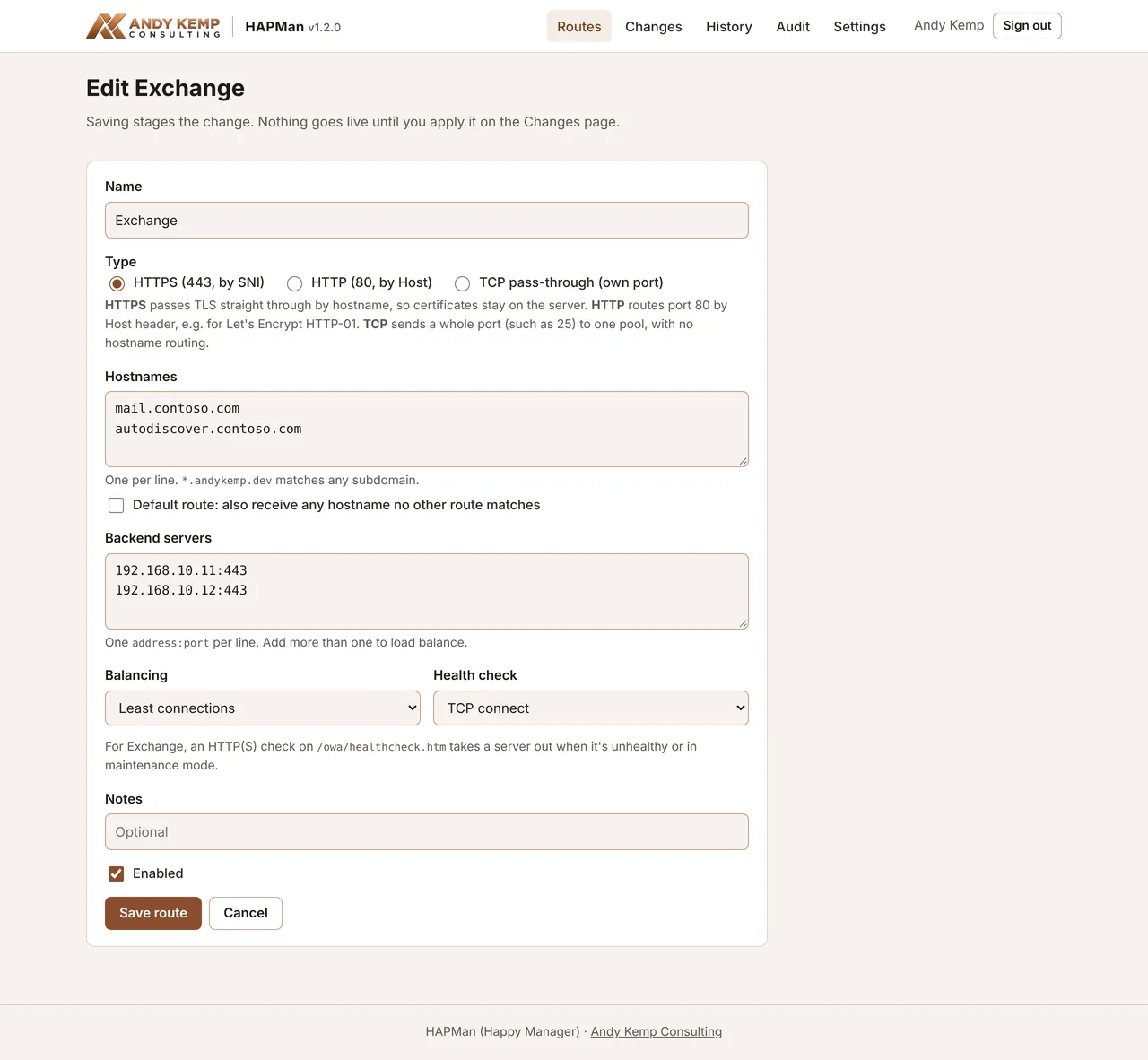
Give it the hostnames or the port, the servers behind it and how to check they're healthy.
- 2
Review the diff
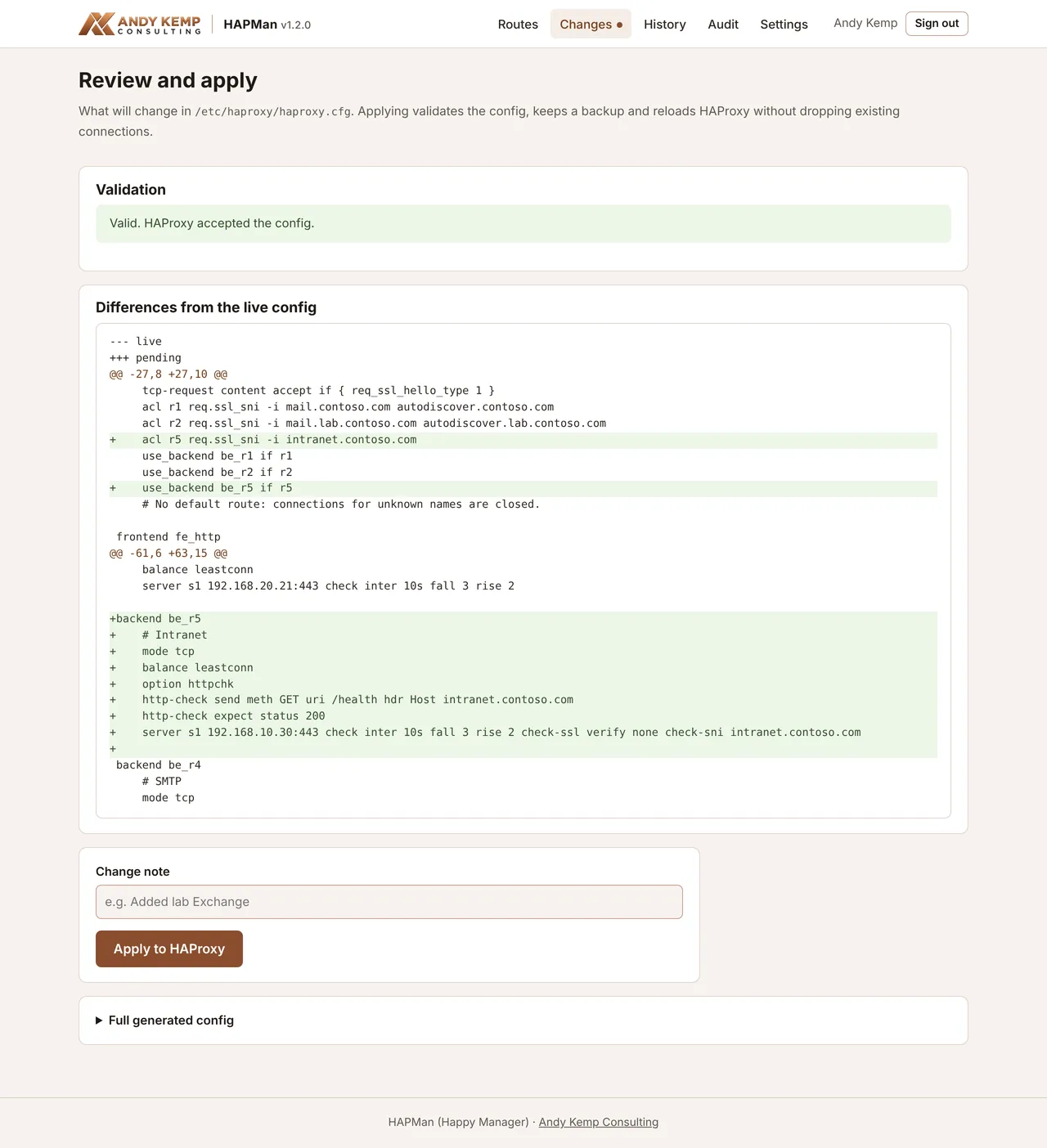
Edits stay staged. The Changes page shows exactly what will change in the HAProxy config.
- 3
Apply
HAProxy checks the config, the old one is backed up, and HAProxy reloads without dropping connections.
- 4
Run it
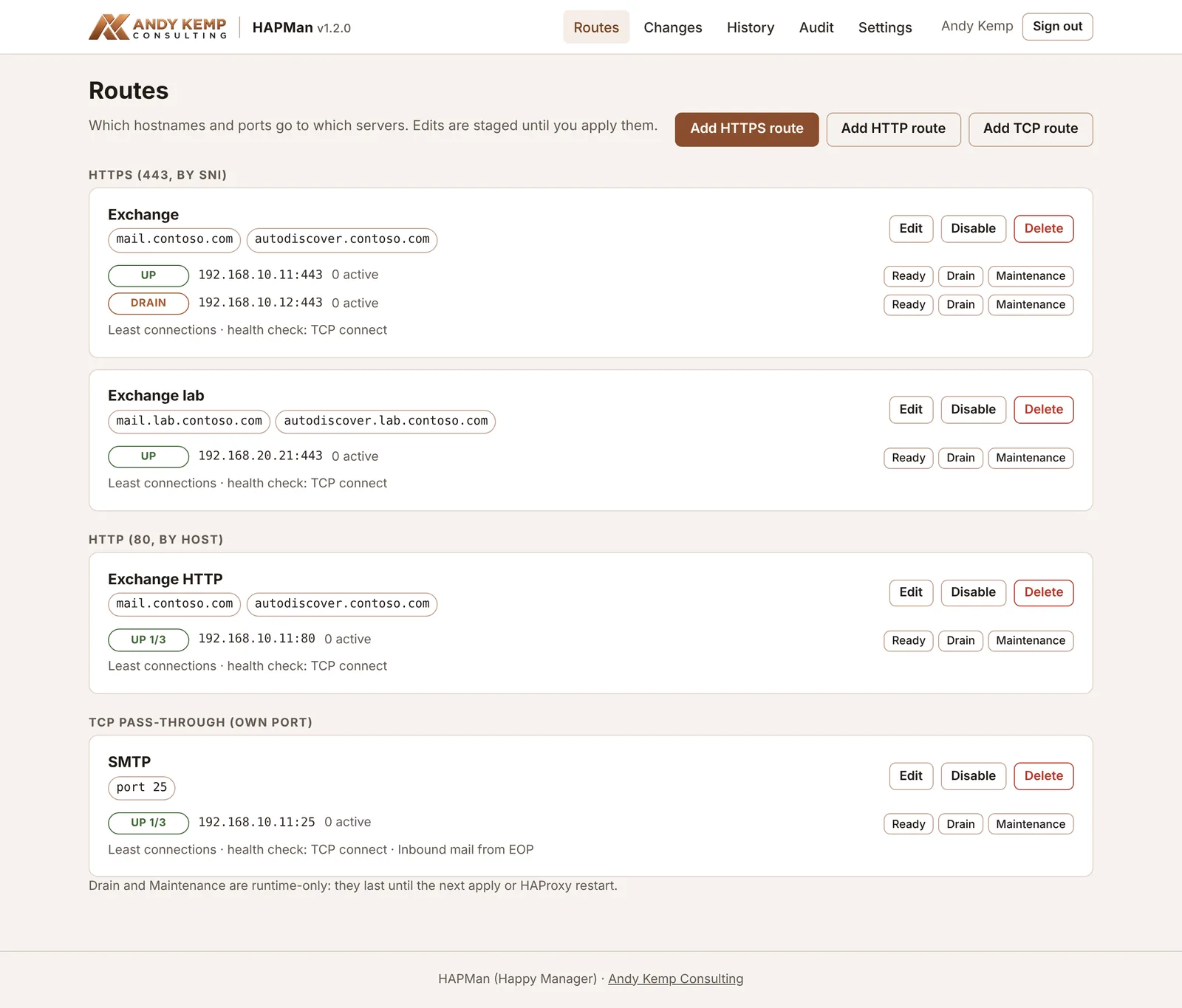
See each server's state and sessions. Drain one to patch it, then set it back to Ready.
What you get
One IP, every server reachable
Most homes and small sites have one public IP, and only one server can have port 443. HAPMan lets mail, a lab and anything else share it, without moving certificates or opening the admin site to the internet.
HTTPS by hostname
Port 443 is routed by the SNI name and passed straight through, so each server keeps its own certificate and nothing is decrypted on the way.
HTTP and TCP too
Route port 80 by Host header, for Let's Encrypt HTTP-01 on a backend, and redirect anything else to HTTPS. Send a whole port, such as 25, to one pool.
Pools and health checks
Put more than one server behind a route to share the load. Check them with a TCP connect or a page such as /owa/healthcheck.htm, which also takes Exchange out when it's in maintenance mode.
Nothing changes until you apply
Edits are staged. You see a diff, HAProxy validates the config, the old one is backed up, and a failed reload rolls back on its own.
History and audit
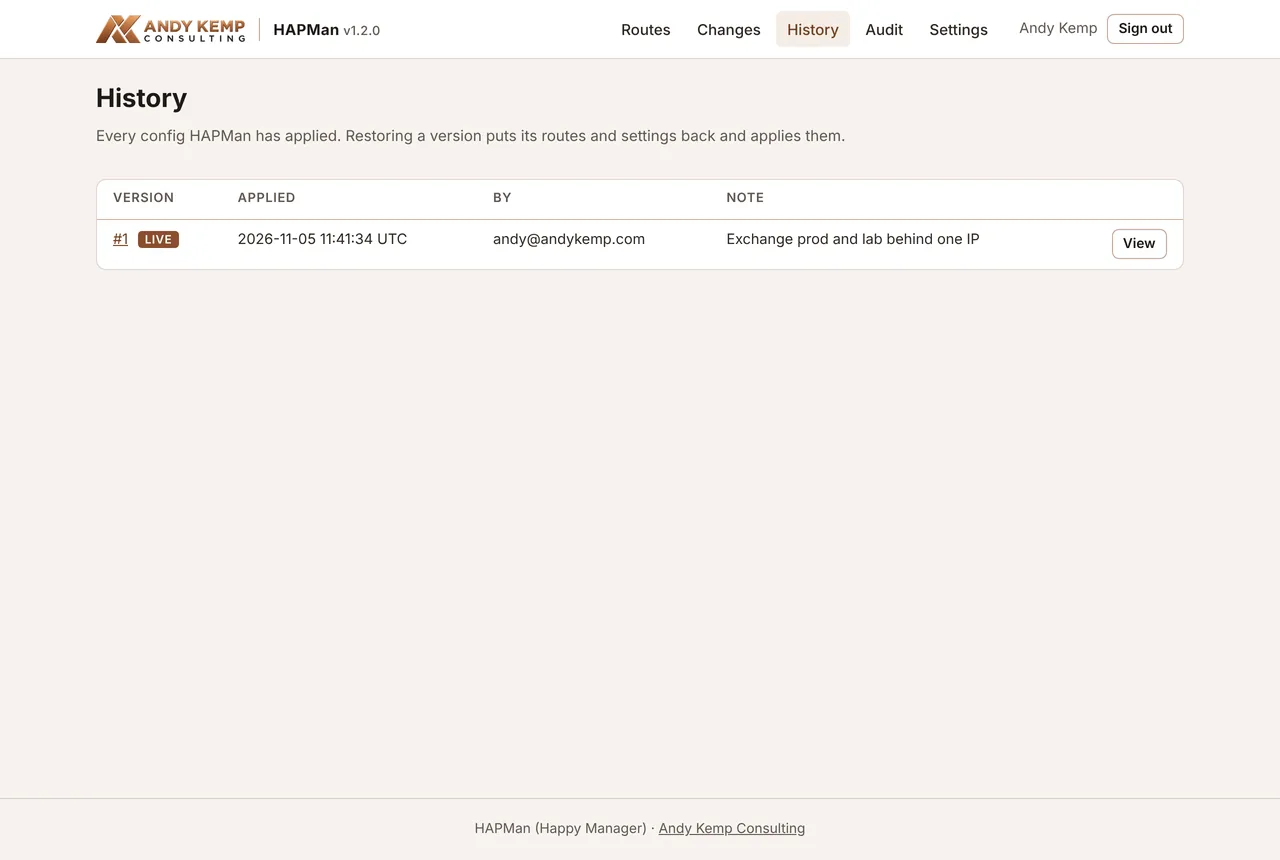
Restore any earlier version in one click. The audit log records sign-ins, edits, applies and server state changes.
Drain and Maintenance
Take a server out while you patch it: drain it, wait for its sessions to reach zero, then set it back to Ready.
Entra ID sign-in
Only people with the HAPMan.Admin app role get in, and you can add Conditional Access on top. No local passwords.
Locked down on the server
HAPMan runs as its own unprivileged account. Its only root access is one sudo rule for a helper that takes no arguments.
Its own certificate, renewed
The installer gets a Let's Encrypt certificate for the admin site through Cloudflare DNS and renews it for you, so the admin site never has to be reachable from the internet.
Screens
What it looks like

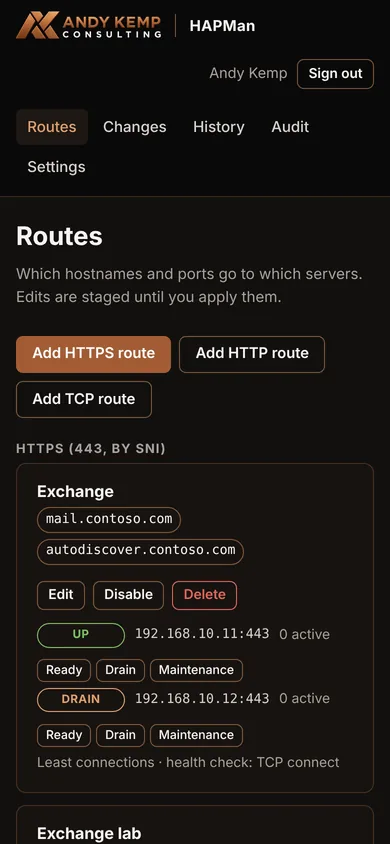
Get started
Install in two steps
- On a Windows or Mac machine, run
New-HAPManApp.ps1. It creates the Entra app and its admin role, assigns the role to you, and prints one setup code startingHAPMAN1. - On the Ubuntu server, download and unzip
hapman.zip, runsudo ./install.shand paste the code. The installer sets up HAProxy, the Let's Encrypt certificate through Cloudflare DNS and the HAPMan service, then tells you the address to sign in at.
What you need
- An Ubuntu Server 24.04 VM (1 vCPU, 1 GB RAM, 10 GB disk) on the same network as your servers
- A DNS name for the admin site, pointing at the VM's internal IP
- A Cloudflare API token that can edit DNS for that zone, for the certificate
- An Entra admin to run the script that creates the app
Questions
Frequently asked
Why can't port 25 be routed by hostname?
SMTP has no hostname in the connection the way HTTPS has SNI or HTTP has a Host header, so HAProxy can't tell which server the mail is for. A TCP route sends the whole port to one pool. If you have two mail servers, pick one for port 25 or forward 25 straight to it from your router.
Do the certificates stay on Exchange?
Yes. HTTPS is passed through as it is, routed only by the hostname the client asks for, so HAProxy never decrypts it and each server keeps its own certificate. The only certificate on the HAPMan server is the one for its own admin site.
Is the admin site on the internet?
No. The admin site listens on port 8443 and is meant for your internal network only: never forward 8443 on your router. To reach it from elsewhere, put it behind Global Secure Access Private Access. Entra sign-in still applies on top.
What happens if HAPMan or Entra is down?
HAProxy keeps routing whatever happens to HAPMan. If you need to change routing without the admin site, edit the HAProxy config over SSH, check it and reload. The docs have the exact commands, and HAPMan shows the difference next time you open it.
Is it only for Exchange?
No. It was built for two Exchange servers behind one home IP, but it works for anything that speaks TLS, HTTP or plain TCP.
How do I update it?
Download the latest zip, unzip it over the old folder and run the installer again. Your settings, routes and certificates are kept.
Read the docs before you start
The docs cover the router port forwards, first routes for two Exchange servers, patching with Drain, rotating the Entra secret, putting the admin site behind Global Secure Access and what to do if Entra is unavailable.