🔐 Set up a passkey
A passkey replaces your password entirely. Instead of a shared secret, your device holds a private key that never leaves it, unlocked with Face ID, a fingerprint or a PIN. The key is tied to the real website address, so a lookalike phishing site gets nothing.
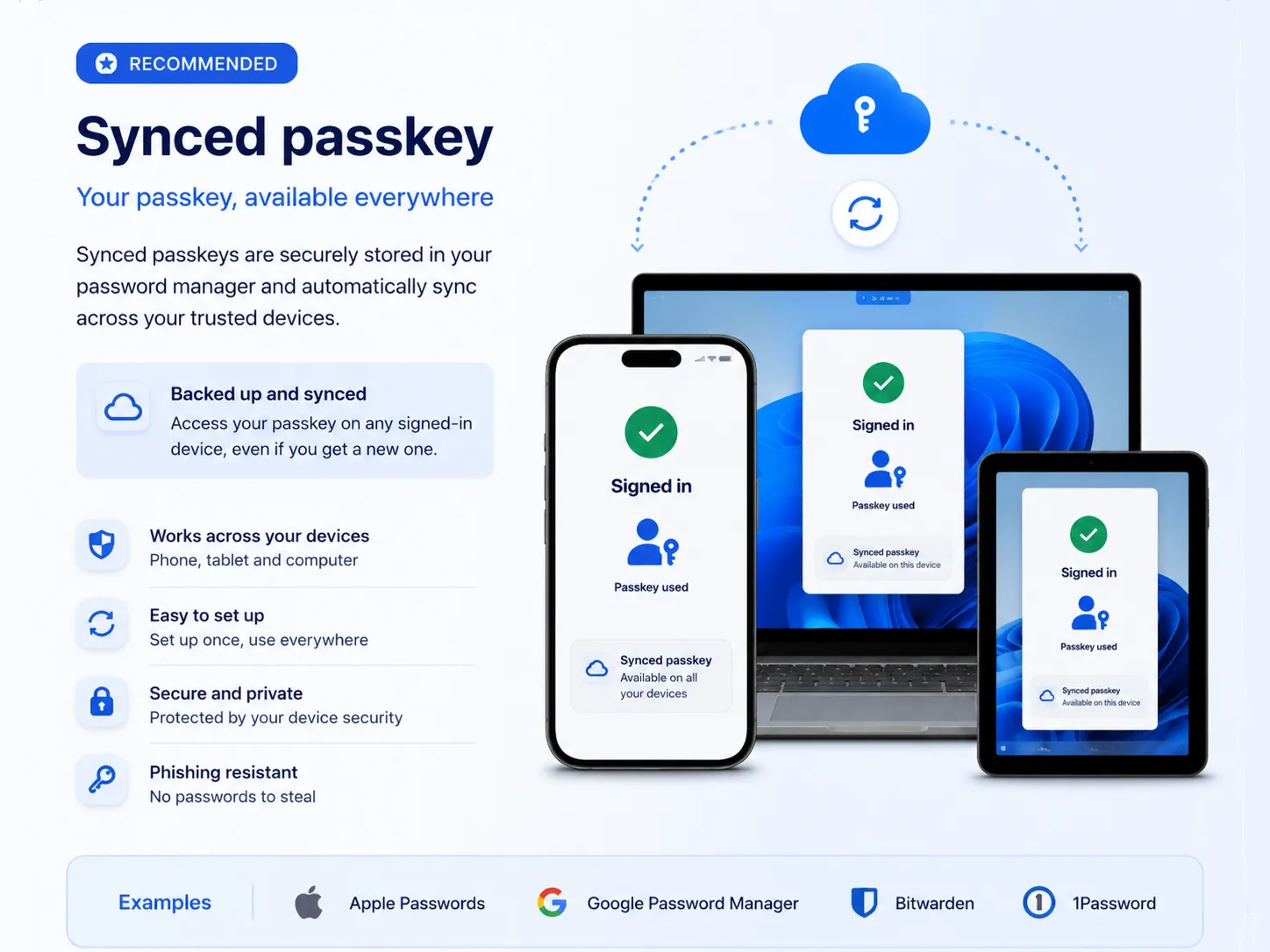
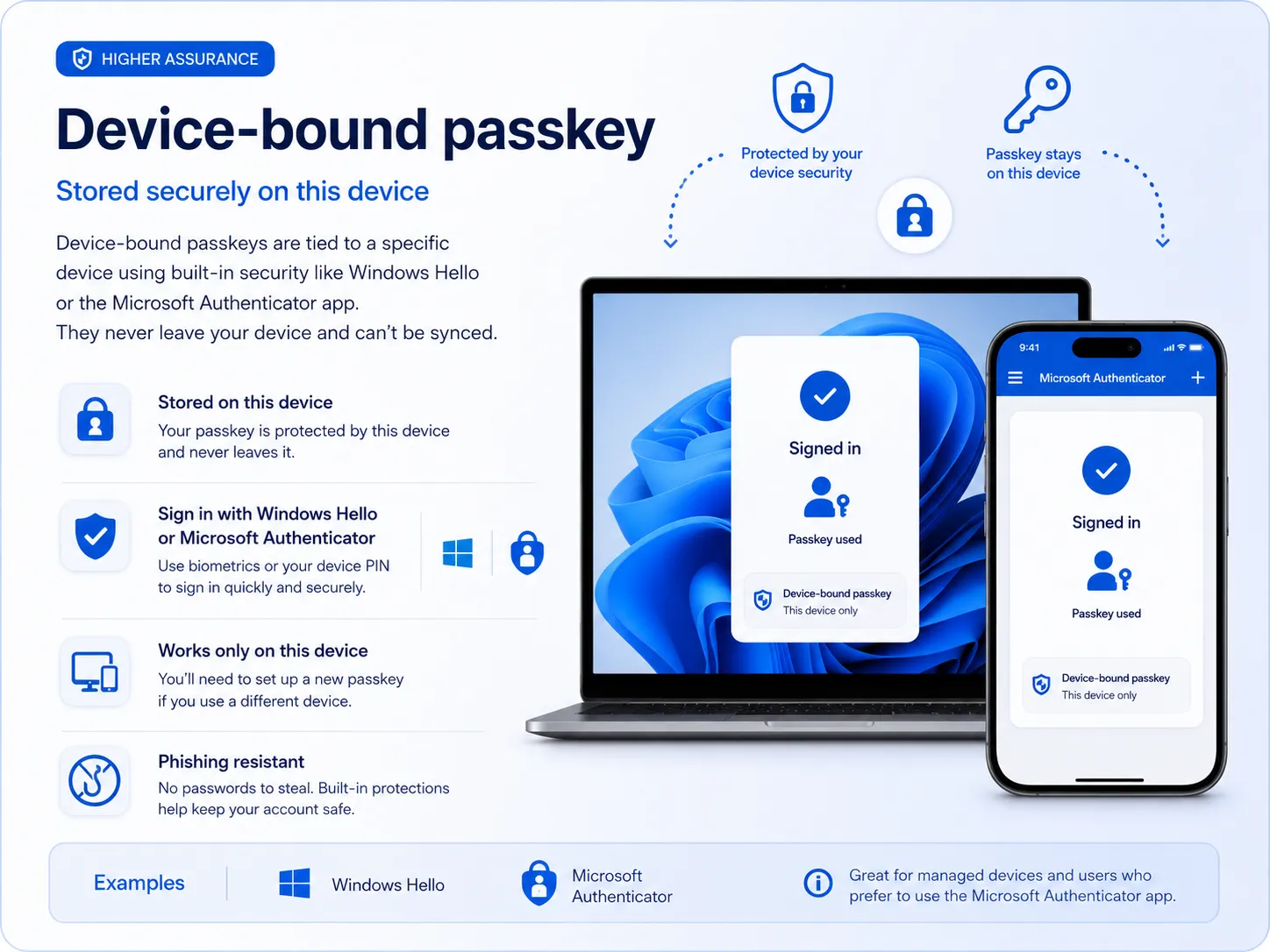
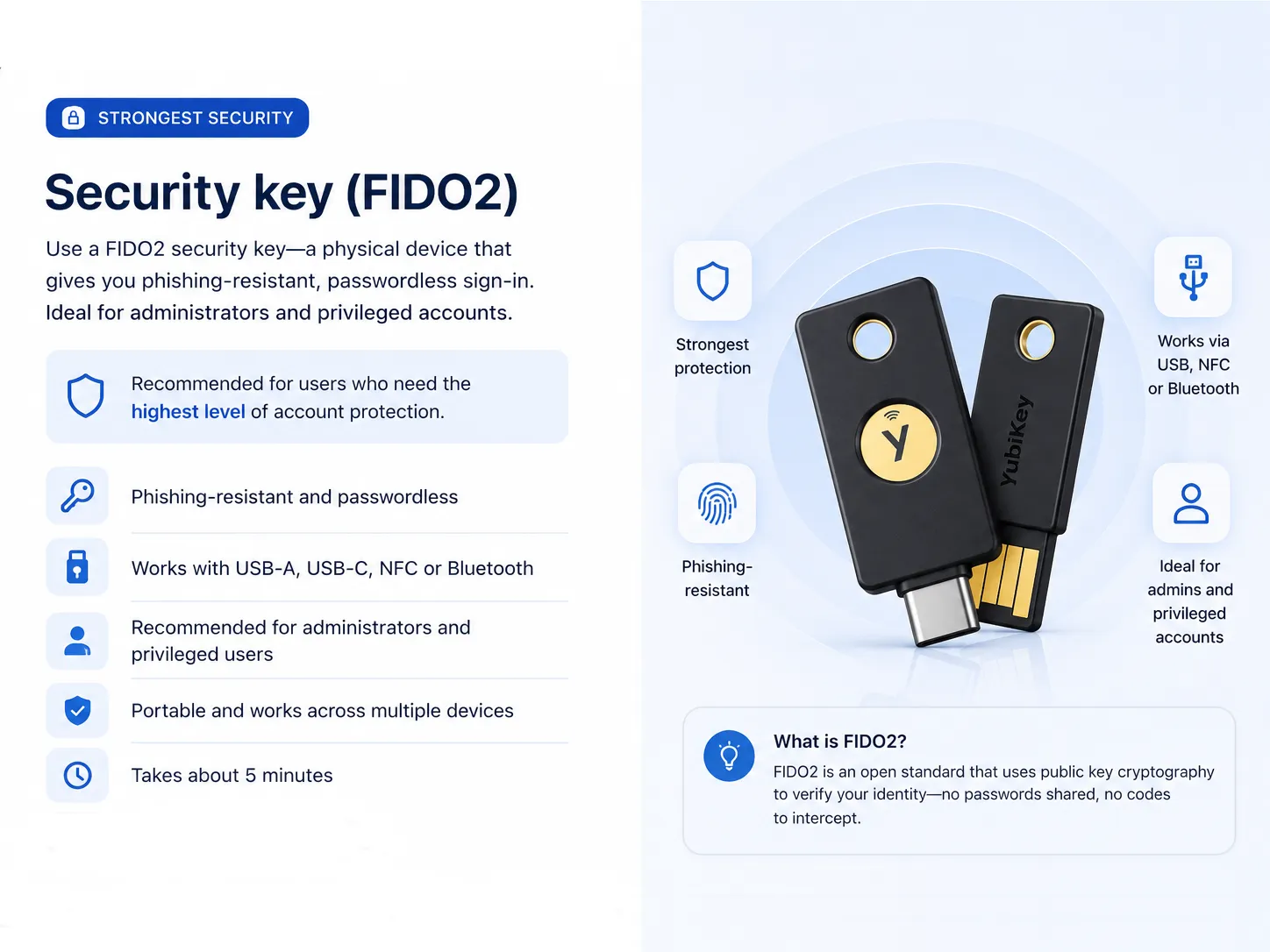
"Passkey" is an umbrella term, though. Pick the kind your organisation has asked you to use - or if it is up to you, choose a synced passkey.
🏷️ Attested passkey
Attestation lets a passkey prove what created it, so your organisation can allow only approved makes and models and reject everything else.
There is no separate setup for this. Follow the device-bound passkey or FIDO2 guide as normal - the restriction is applied by IT, and setup simply fails if your device or key is not on the approved list.
Compare the passkey types
All three are passwordless and phishing-resistant. The differences show up when you replace a device, or when you need the credential to travel with you.
| Feature | Synced passkey | Device-bound passkey | FIDO2 security key |
|---|---|---|---|
| Where it lives | Your passkey manager, synced to your devices | The single device that created it | A hardware key you carry |
| Passwordless sign-in | ✅ Yes | ✅ Yes | ✅ Yes |
| Phishing-resistant | ✅ Yes | ✅ Yes | ✅ Yes |
| Syncs to other devices | ✅ Yes | ❌ No | ❌ No - but the key moves with you |
| Needs extra hardware | ❌ No | ❌ No | ✅ Yes |
| Can be attested | ❌ Not usually | ✅ Yes | ✅ Yes |
| Best for everyday users | ⭐⭐⭐⭐⭐ (5 out of 5) Excellent | ⭐⭐⭐⭐ (4 out of 5) Very good | ⭐⭐⭐ (3 out of 5) Good |
| Best for administrators | ⭐⭐⭐ (3 out of 5) Good | ⭐⭐⭐⭐ (4 out of 5) Very good | ⭐⭐⭐⭐⭐ (5 out of 5) Excellent |
| Replacing a device | ⭐⭐⭐⭐⭐ (5 out of 5) Very easy - it syncs across | ⭐⭐ (2 out of 5) Set up a new passkey | ⭐⭐⭐⭐⭐ (5 out of 5) Very easy - plug the key in |
| Examples | Apple Passwords, Google Password Manager, Bitwarden, 1Password | Microsoft Authenticator, Windows Hello for Business, Platform SSO on macOS | YubiKey, Feitian, Token2 |
A note about Microsoft Authenticator
Need help? Contact your IT support team.